Release notes
Comments, more ways to collaborate, and some key additional features.
02 December, 2025
Skylar Aieta
Product Designer
Today we’re very excited to announce the release of Standards 13.0. Designed to help teams work together more seamlessly, we’ve added a Comment mode giving workspace members the ability to track feedback directly in Standards. We’ve also added some key workflow enhancements, so let’s go over everything top to bottom.
Commenting & collaboration
Pro & Enterprise
Comment mode
We’ve heard from many of our customers that tracking feedback in Standards has been cumbersome, so we’re glad to refine this experience with an entirely new mode designed to let anyone add comments and communicate asynchronously across teams. Comments are contextual to each page, breakpoint, and section—and may be quickly accessed via a new notification center in the dashboard.
For more information regarding comment mode, see our guide.
Pro & Enterprise
New role types
With the introduction of a new mode for commenting comes a new approach to member roles and permissions within each workspace. Previously, Standards has offered three types of role based permissions for each team: Owner, Admin, and Editor. With this release, we’ve added two new role types to each seat: Commenter, and Content Editor.
Content editors have access to both the Content and Comment modes, but are restricted from accessing the Design mode. Commenters are restricted from both the Design and Content modes, but can view unpublished projects and leave feedback.
For more information regarding role types, see our guide.

Content editing additions
We’ve added some important new functionality to the Content mode. Previously, it was only possible to edit text-based content from this mode. Today, it is now possible to replace media files, downloads, tooltips, and more all without affecting any design parameters. Updates to media are made contextually per breakpoint, and per locale, ensuring you can display the right content in any environment.
For more information regarding content editing, see our guide.
New functionality & enhancements
Copy pages between projects
A frequently requested feature from our community is the ability to copy designs from one project to another. This can now be achieved with a new copy page function allowing editors to take any existing page and copy it to any project, along with options to include associated styles, components, and files.
For more information about copying pages, see our guide.
New behavior: Copy & Share
Another small but mighty feature we’ve included is the entirely new ‘Copy & Share’ click behavior. While it’s most common for visitors to need a quick link or download themselves, sometimes it’s to share with someone else. This new behavior allows you to set buttons, text, or media elements to copy data directly to your clipboard, whether that’s a link to a file, page, URL, or custom text to be shared elsewhere.
For more information regarding behaviors, see our guide.
Enterprise
More languages
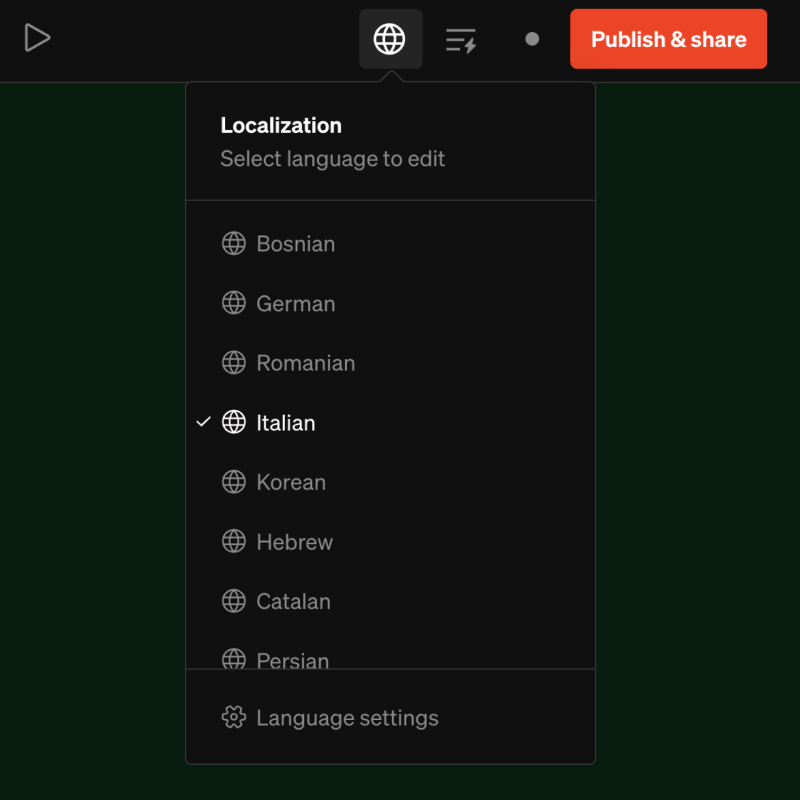
We’ve increased support for the number of languages per project up to 20. Previously this was capped conservatively at five per project, but has been expanded in this update to offer greater localization functionality to our Enterprise customers.
Performance boost
Finally, we’ve implemented a wide array of optimizations to improve speed and performance within our app. Transferring and duplicating projects should be much quicker and editing large projects should feel more responsive, even when changing components with many instances across numerous languages.

Get in touch
If you have any feedback, questions about this update, or have ideas for what we should work on next, please let us know by emailing [email protected]